What is Power Apps?
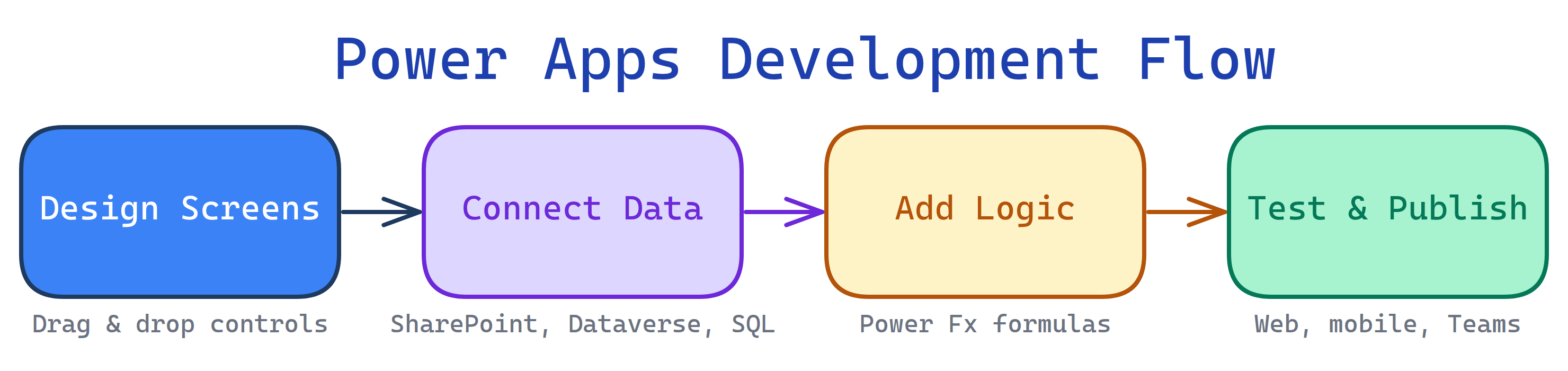
Power Apps is Microsoft's low-code platform for building business applications. Drag and drop controls, connect to data sources (SharePoint, Dataverse, SQL, Excel), write Power Fx formulas, and publish apps for web and mobile — all without traditional coding.
The Big Picture
Power Apps turns business processes into apps. You design screens, connect data, add logic, and publish.
Explain Like I'm 12
Imagine you want to build an app for your school's lost-and-found. Normally, you'd need to learn a programming language, set up a database, build a website — that takes months.
With Power Apps, you drag a form onto the screen, connect it to a spreadsheet, add a camera button so people can photograph lost items, and hit publish. Done in an afternoon. Teachers and students open it on their phone. No App Store needed.
What is Power Apps?
Power Apps is part of the Microsoft Power Platform (alongside Power BI, Power Automate, and Power Virtual Agents). It lets "citizen developers" — business users, analysts, IT pros — build apps without writing traditional code.
There are three types of Power Apps:
Who is it for?
Business analysts who need custom tools. IT teams replacing legacy Access/InfoPath apps. Managers who want to digitize paper processes. Developers who need to prototype fast. Anyone in a Microsoft 365 organization who thinks "there should be an app for this."
What can Power Apps do?
- Replace spreadsheet-based processes — inventory tracking, approval workflows, expense reports
- Digitize paper forms — inspections, surveys, onboarding checklists
- Build field apps — mobile apps with camera, GPS, barcode scanner for field workers
- Create internal portals — employee directories, knowledge bases, help desks
- Automate approvals — integrate with Power Automate for multi-step approval flows
- Connect to 1000+ data sources — SharePoint, Dataverse, SQL Server, Excel, Salesforce, REST APIs
- Embed in Teams — publish apps directly inside Microsoft Teams tabs
Power Apps vs Others
| Feature | Power Apps | AppSheet (Google) | OutSystems | Custom Code |
|---|---|---|---|---|
| Complexity | Low-code | No-code | Low-code (pro) | Full code |
| Best ecosystem | Microsoft 365 | Google Workspace | Enterprise | Any |
| Data layer | Dataverse, SharePoint, SQL | Google Sheets, SQL | Built-in DB | Any DB |
| Mobile | Native app + responsive | Native app | Native app | Build your own |
| Formula language | Power Fx | AppSheet expressions | Visual logic | Any language |
| Speed to MVP | Hours-days | Hours | Days-weeks | Weeks-months |
What you'll learn
Test Yourself
What are the three types of Power Apps?
What formula language does Power Apps use?
What is Dataverse?