Local AI Interfaces
You don't need to use the terminal to talk to local AI. Open WebUI gives you a ChatGPT-like web interface backed by Ollama. LM Studio is an all-in-one desktop app with built-in model download and chat. Jan is a privacy-focused desktop alternative. Each connects to your local models and provides conversation history, system prompts, and model switching.
Explain Like I'm 12
Ollama is the engine of a car — it makes the AI brain run. But typing commands in a terminal isn't very fun. These interfaces are like putting a steering wheel, dashboard, and comfy seats on top of the engine. Open WebUI is like a web browser version of ChatGPT. LM Studio is like a phone app for AI. They all let you chat with your local AI the way you'd chat on ChatGPT.
Interface Comparison
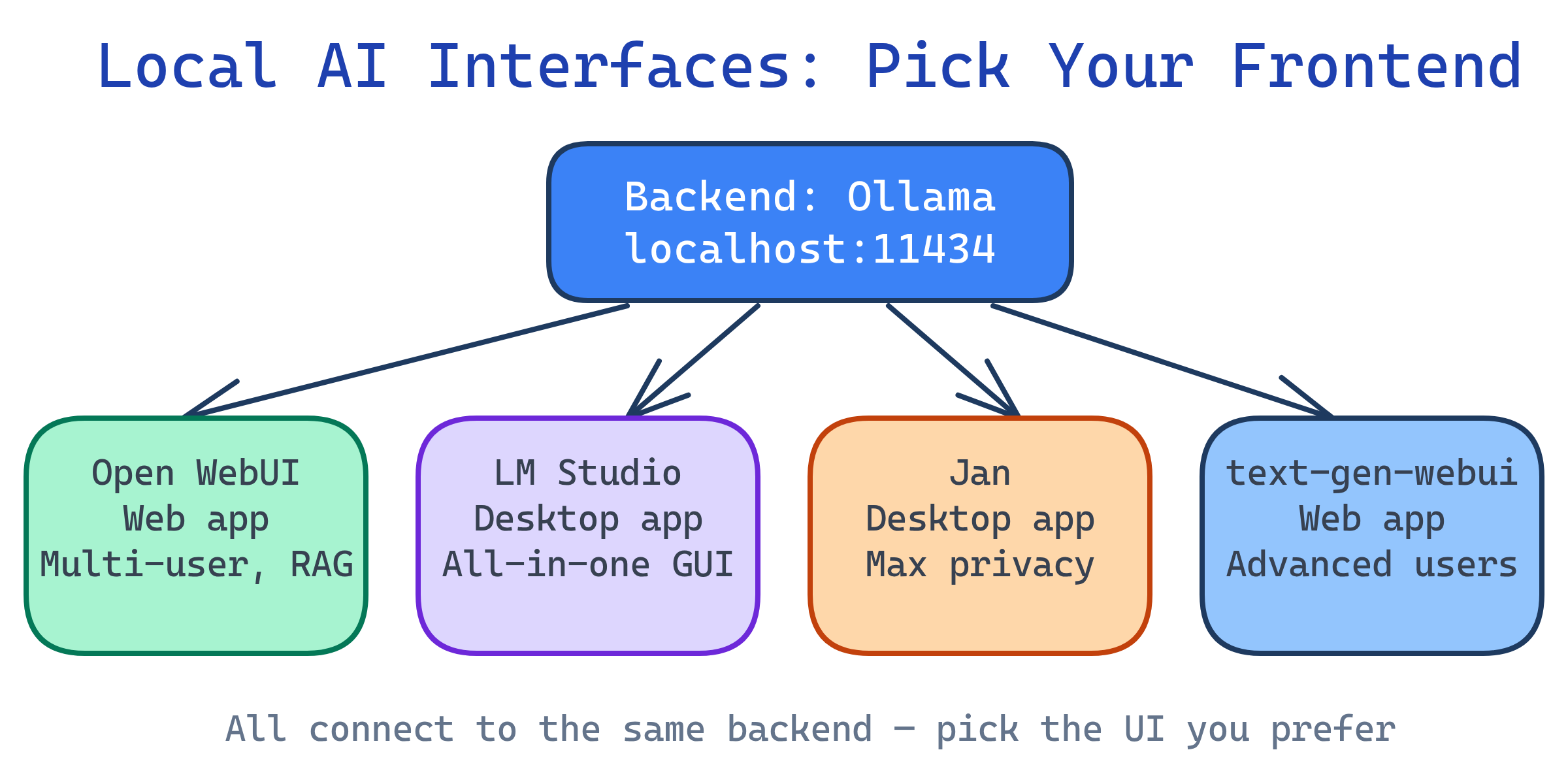
| Interface | Type | Backend | Best For | Cost |
|---|---|---|---|---|
| Open WebUI | Web app (self-hosted) | Ollama, OpenAI-compat | Teams, ChatGPT replacement, RAG | Free (open source) |
| LM Studio | Desktop app | Built-in (llama.cpp) | Non-developers, GUI-first users | Free |
| Jan | Desktop app | Built-in + Ollama | Privacy-focused, clean UI | Free (open source) |
| text-generation-webui | Web app (local) | Multiple (GPTQ, AWQ, llama.cpp) | Advanced users, experimentation | Free (open source) |
| Chatbox | Desktop app | Ollama, OpenAI-compat | Lightweight, cross-platform | Free |
Open WebUI (Recommended)
Open WebUI (formerly Ollama WebUI) is the most popular ChatGPT-like interface for local models. It's a web app you self-host that connects to Ollama or any OpenAI-compatible backend.
Quick setup with Docker
# One command to start (connects to Ollama at localhost:11434)
docker run -d -p 3000:8080 \
  --add-host=host.docker.internal:host-gateway \
  -v open-webui:/app/backend/data \
  --name open-webui \
  ghcr.io/open-webui/open-webui:main

# Open http://localhost:3000 in your browser
# Create an account on first visit (local only, no data leaves your machine)--add-host=host.docker.internal:host-gateway flag lets Docker reach Ollama running on your host machine. Without it, Open WebUI can't find Ollama.Key features
- ChatGPT-like UI — conversation threads, markdown rendering, code highlighting
- Model switching — swap between Ollama models mid-conversation
- RAG (document chat) — upload PDFs/docs and ask questions about them
- Web search — connect to search APIs for up-to-date information
- Multi-user — user accounts with separate conversation histories
- System prompts — presets for different assistants (coder, writer, analyst)
- Image generation — connect to Stable Diffusion / DALL-E backends
- Voice input/output — speech-to-text and text-to-speech
LM Studio
LM Studio is a desktop application that bundles everything: model browser, downloader, inference engine, and chat UI. No terminal needed.
Setup
- Download from lmstudio.ai (Mac, Windows, Linux)
- Browse and download models from the built-in Hugging Face browser
- Select a model and start chatting — that's it
Key features
- Built-in model browser — search Hugging Face, filter by size/quantization, one-click download
- No dependencies — self-contained app, no Python/Docker/terminal required
- Local server mode — serve an OpenAI-compatible API for other tools
- GPU auto-detection — NVIDIA CUDA, AMD, Apple Metal
- Parameter tweaking — adjust temperature, top-p, context length in the UI
Jan
Jan is an open-source desktop app focused on privacy. It stores everything locally (conversations, models, preferences) with no telemetry.
Key features
- 100% local — no accounts, no cloud, no tracking
- Extensions — plugin system for adding features
- Multiple backends — built-in llama.cpp + connect to Ollama or cloud APIs
- Cross-platform — Mac, Windows, Linux
- Open source — MIT license, full transparency
Which Should You Use?
| Scenario | Best Choice | Why |
|---|---|---|
| Replace ChatGPT for a team | Open WebUI + Ollama | Multi-user, web-based, RAG, most features |
| Personal use, non-technical | LM Studio | No terminal, built-in everything |
| Maximum privacy, open source | Jan | No accounts, no telemetry, MIT licensed |
| Advanced experimentation | text-generation-webui | Supports most model formats and backends |
| Developer with Ollama installed | Open WebUI | One Docker command to add a web UI to Ollama |
Complete Setup: Ollama + Open WebUI
The most popular local AI stack is Ollama (backend) + Open WebUI (frontend). Here's how to set it up with Docker Compose:
# compose.yaml - Full local AI stack
services:
  ollama:
    image: ollama/ollama
    volumes:
      - ollama-data:/root/.ollama
    ports:
      - "11434:11434"
    deploy:
      resources:
        reservations:
          devices:
            - capabilities: [gpu]   # Pass GPU to container

  open-webui:
    image: ghcr.io/open-webui/open-webui:main
    ports:
      - "3000:8080"
    environment:
      - OLLAMA_BASE_URL=http://ollama:11434
    volumes:
      - open-webui-data:/app/backend/data
    depends_on:
      - ollama

volumes:
  ollama-data:
  open-webui-data:
# Start the stack
docker compose up -d
# Pull a model inside the Ollama container
docker compose exec ollama ollama pull llama3.1
# Open http://localhost:3000 and start chatting!--add-host.Test Yourself
What's the difference between Open WebUI and LM Studio?
Why does the Docker Compose setup for Open WebUI need --add-host or a shared network with Ollama?
--add-host=host.docker.internal:host-gateway adds a DNS entry so the container can reach the host. Alternatively, running both in Docker Compose puts them on the same network, so Open WebUI can reach Ollama by service name.What is RAG in the context of Open WebUI?
When would you choose Jan over Open WebUI?
How can Open WebUI work with both local and cloud AI models simultaneously?
Interview Questions
How would you set up a self-hosted ChatGPT alternative for a small team?
ollama pull llama3.1). 3) Deploy Open WebUI via Docker, pointed at Ollama. 4) Put a reverse proxy (Nginx/Caddy) in front for HTTPS and auth. 5) Team members access via browser. Consider: GPU memory limits concurrent users, so right-size the hardware or use vLLM for batching.What are the trade-offs between LM Studio and the Ollama + Open WebUI stack?
What is the NVIDIA Container Toolkit and why is it needed for GPU access in Docker?