What is System Design?
System Design is the process of defining the architecture, components, and data flow of a system to meet specific requirements. It covers scalability, reliability, availability, and performance — the skills tested in senior engineering interviews.
The CAP theorem is cited often but applied imprecisely. In practice, network partitions in distributed systems are not optional — they happen — so the real trade-off for most systems is between Consistency and Availability during partition events. What makes this concrete: a user updating their profile photo might tolerate eventual consistency (see the old photo for a few seconds). A bank transfer cannot. This distinction drives every major database selection decision. Martin Kleppmann's "Please stop calling databases CP or AP" is the most nuanced treatment of CAP in practice.
Database sharding is one of those system design topics where the textbook answer (horizontal partitioning by a shard key) hides the real complexity: choosing the wrong shard key creates hotspots. An e-commerce system sharded by customer_id is fine until a single enterprise customer generates 50% of traffic; that customer's shard becomes the bottleneck. The Amazon Dynamo paper describes consistent hashing as a way to distribute load more evenly across nodes.
System design interviews test your ability to reason about trade-offs, not memorize patterns. The best preparation is practicing the approach: clarify requirements → define the data model → sketch the API → design the components → identify bottlenecks and discuss trade-offs. The interview is evaluating your thought process, not your final architecture.
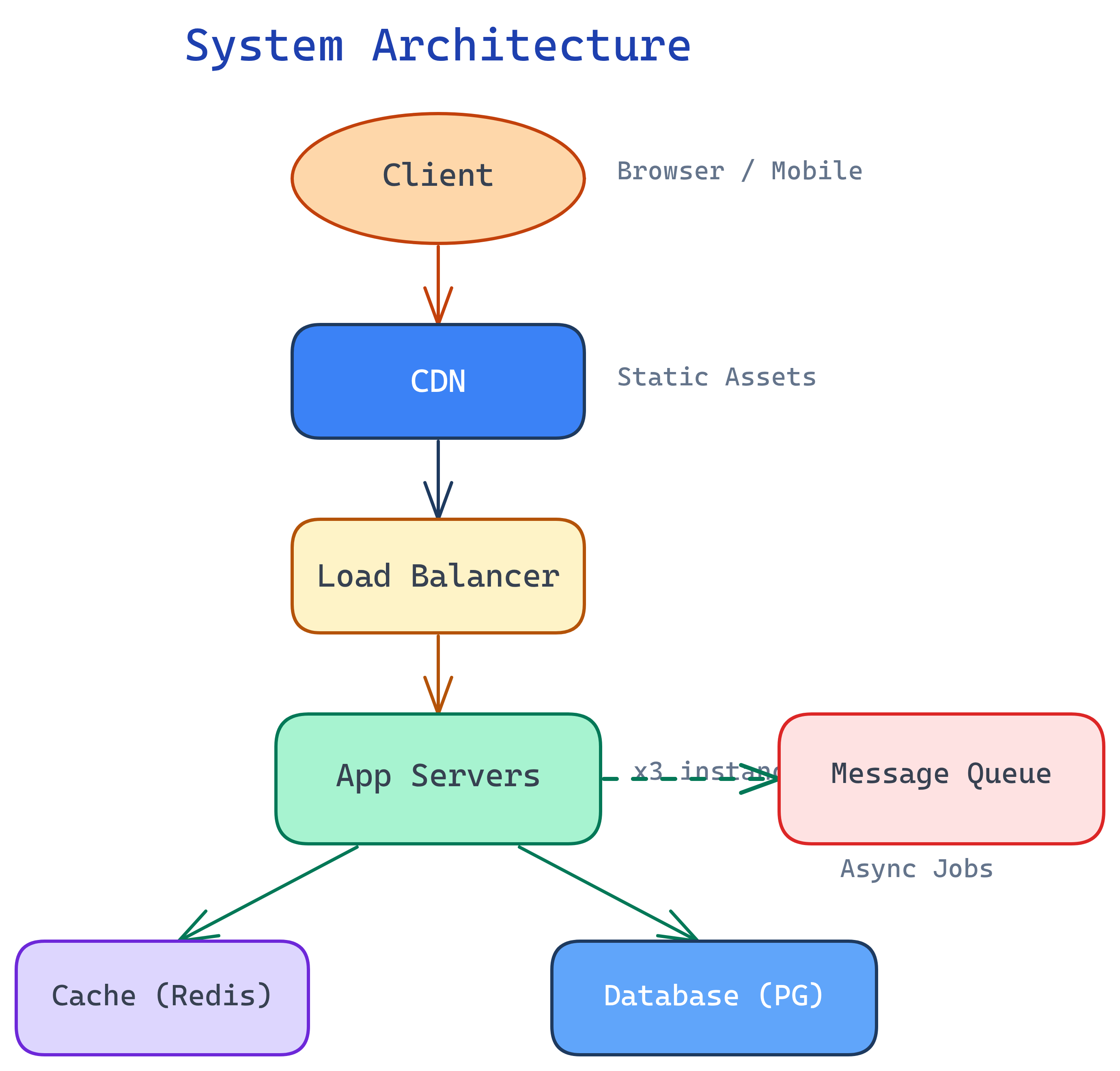
The Big Picture
Every production system follows this pattern: clients talk to servers, servers talk to databases, and everything in between handles scale, speed, and failure.
Explain Like I'm 12
Imagine building a pizza delivery app. One store works fine for your neighborhood. But what if a million people order at once? You need more stores (scaling), a way to send orders to the nearest store (load balancing), a backup plan if a store's oven breaks (reliability), and a way to remember everyone's favorite order (caching). System Design is figuring out all of this BEFORE you build it.
What is System Design?
System Design is the art of building systems that work at scale. It's not just writing code — it's deciding: Where does data live? How do services talk to each other? What happens when things fail?
There are two types:
- High-Level Design (HLD) — Architecture and components. Which services exist, how they communicate, where data is stored. This is what you draw on a whiteboard.
- Low-Level Design (LLD) — Classes, interfaces, algorithms, and data models. The internal structure of individual components.
In interviews and in practice, system design is about making trade-offs. There's no single "correct" answer — only answers that fit the requirements, constraints, and scale of your specific problem.
Why Does It Matter?
Every real application is a distributed system. Here's why you can't ignore design:
- Single servers fail — Hardware dies, processes crash, networks partition. Your system must keep running.
- Traffic spikes happen — Black Friday, viral posts, breaking news. If you can't scale, you go down.
- Data grows — What works for 1,000 users breaks at 1,000,000. Storage, indexing, and query patterns all need to evolve.
- Users expect 99.99% uptime — That's less than 53 minutes of downtime per year. You need redundancy, failover, and graceful degradation.
- It's the #1 interview topic for senior roles — At FAANG, Big Tech, and any company hiring L5+ engineers, system design rounds are the deciding factor.
The Core Building Blocks
These eight components appear in nearly every system design. Think of them as your toolkit:
The System Design Interview Framework
Every system design interview follows the same 6-step structure. Memorize this framework and you'll never freeze on a whiteboard:
- Step 1: Clarify Requirements — Ask questions. What are the functional requirements (what does the system do?) and non-functional requirements (latency, availability, consistency)?
- Step 2: Estimate Scale — How many users? Requests per second? Data size? These numbers drive every design decision.
- Step 3: Define API/Interfaces — What endpoints does the system expose? What are the inputs and outputs?
- Step 4: High-Level Design — Draw the boxes and arrows. Clients, load balancers, services, databases, caches, queues.
- Step 5: Deep Dive into Bottlenecks — Pick the hardest part and go deep. How do you shard the database? How do you handle hot keys in the cache?
- Step 6: Discuss Trade-offs — Every choice has pros and cons. Show you understand the trade-offs (consistency vs. availability, latency vs. throughput, cost vs. performance).
What You'll Learn
This topic walks you through system design from fundamentals to real-world architectures:
Test Yourself
What's the difference between horizontal and vertical scaling?
Name 4 core building blocks of system design.
Why can't you just use a single powerful server for everything?
What are the 6 steps of a system design interview?