AWS Compute & Storage
EC2 = virtual servers (pick CPU/RAM/disk, pay per second). S3 = unlimited object storage (files, backups, static sites). Lambda = run code without servers (pay per invocation). EBS = persistent block storage attached to EC2 instances.
Explain Like I'm 12
EC2 is like renting a computer — you pick how powerful it is and pay by the hour. S3 is like Google Drive but for your apps — unlimited storage for any file. Lambda is like hiring someone to do one specific task — they show up, do the job, and leave (you only pay for the time they worked). EBS is the hard drive plugged into your rented computer.
How Compute & Storage Fit Together
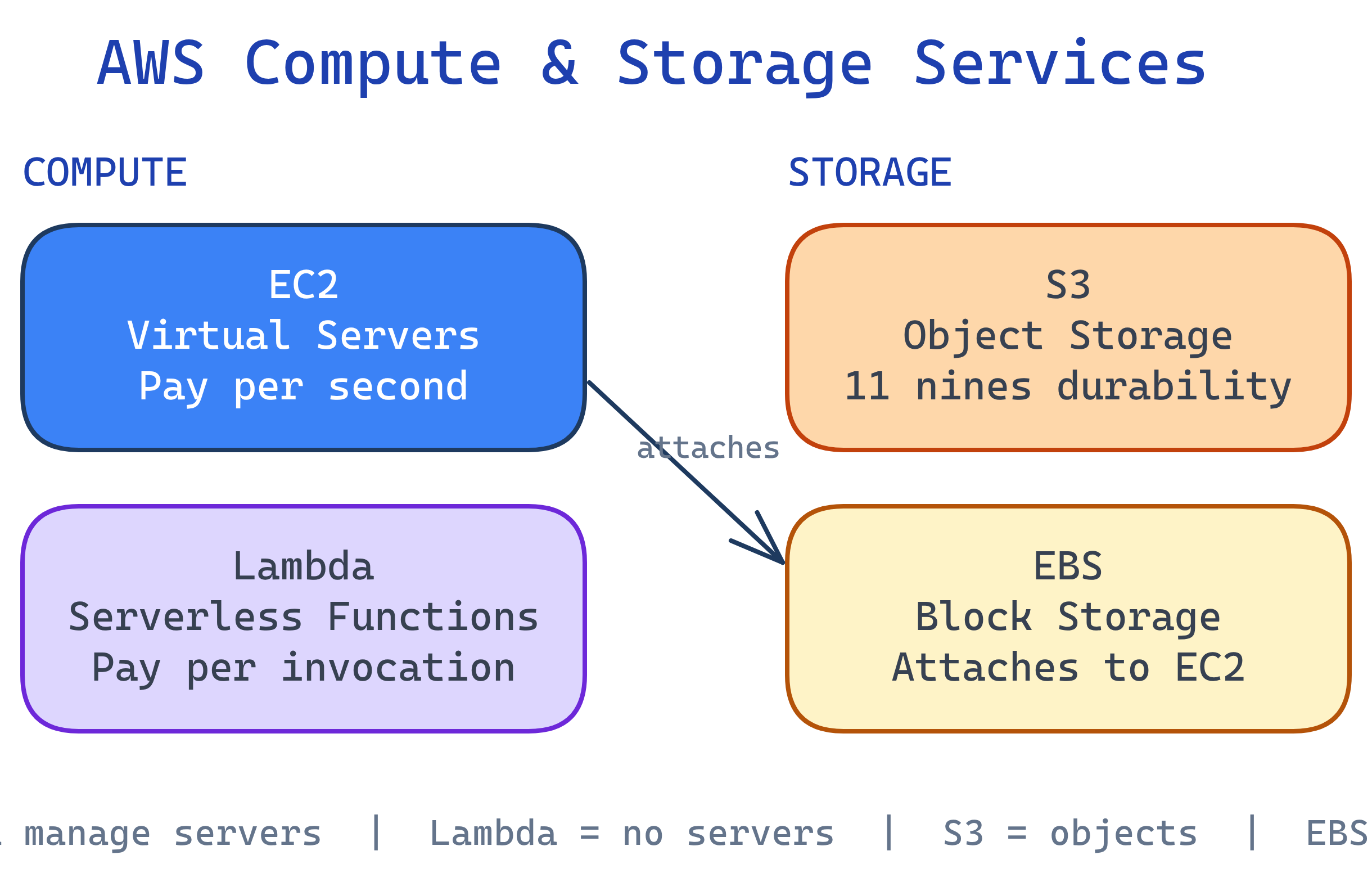
EC2 — Elastic Compute Cloud
EC2 gives you virtual servers (called instances) that you can configure with any OS, CPU, memory, and storage combination. It's the most fundamental AWS compute service.
Instance Types
| Family | Optimized For | Example | Use Case |
|---|---|---|---|
| t3/t4g | General purpose (burstable) | t3.micro (2 vCPU, 1 GB) | Dev/test, small apps |
| m6i/m7g | General purpose (steady) | m6i.large (2 vCPU, 8 GB) | Web servers, app servers |
| c6i/c7g | Compute-optimized | c6i.xlarge (4 vCPU, 8 GB) | Batch processing, ML inference |
| r6i/r7g | Memory-optimized | r6i.large (2 vCPU, 16 GB) | Databases, in-memory caches |
| p4d/p5 | GPU (accelerated) | p4d.24xlarge (8 A100 GPUs) | ML training, video encoding |
{family}{generation}{attribute}.{size}. For example, m6i.large = general purpose (m), 6th gen, Intel (i), large size. The "g" suffix means Graviton (ARM) — often 20% cheaper for the same performance.Launching an EC2 Instance
# Launch a t3.micro instance with Amazon Linux 2023
aws ec2 run-instances \
  --image-id ami-0c02fb55956c7d316 \
  --instance-type t3.micro \
  --key-name my-key-pair \
  --security-group-ids sg-0123456789abcdef0 \
  --subnet-id subnet-0123456789abcdef0 \
  --tag-specifications 'ResourceType=instance,Tags=[{Key=Name,Value=my-server}]'

# Check running instances
aws ec2 describe-instances \
  --filters "Name=instance-state-name,Values=running" \
  --query "Reservations[].Instances[].[InstanceId,InstanceType,PublicIpAddress]" \
  --output table

# Stop (preserves data) vs Terminate (deletes everything)
aws ec2 stop-instances --instance-ids i-0abc123def456
aws ec2 terminate-instances --instance-ids i-0abc123def456terminate deletes the instance and its root EBS volume (by default). Use stop to pause and save money without losing data. Enable termination protection for production instances.S3 — Simple Storage Service
S3 stores objects (files up to 5 TB each) in buckets (containers). It's designed for 99.999999999% (11 nines) durability — your data essentially never gets lost.
Storage Classes
| Class | Access Pattern | Cost | Use Case |
|---|---|---|---|
| Standard | Frequent access | $0.023/GB/mo | Active app data, websites |
| Intelligent-Tiering | Changing/unknown | $0.023/GB + monitoring | Unpredictable access patterns |
| Standard-IA | Infrequent access | $0.0125/GB/mo | Backups, disaster recovery |
| Glacier Instant | Rare, immediate | $0.004/GB/mo | Compliance archives |
| Glacier Deep Archive | Rarely (12+ hr restore) | $0.00099/GB/mo | Long-term regulatory archives |
# Create a bucket
aws s3 mb s3://my-unique-bucket-name-2026

# Upload a file
aws s3 cp ./report.csv s3://my-unique-bucket-name-2026/data/

# Sync a local directory to S3
aws s3 sync ./build/ s3://my-unique-bucket-name-2026/ --delete

# List objects
aws s3 ls s3://my-unique-bucket-name-2026/data/ --recursive

# Enable versioning (protect against accidental deletes)
aws s3api put-bucket-versioning --bucket my-unique-bucket-name-2026 \
--versioning-configuration Status=EnabledLambda — Serverless Compute
Lambda runs your code in response to events without provisioning servers. You upload a function, define a trigger (API Gateway, S3 upload, schedule), and AWS handles everything else — scaling, patching, and availability.
Lambda vs. EC2
| Aspect | EC2 | Lambda |
|---|---|---|
| Server mgmt | You manage OS, patches, scaling | AWS manages everything |
| Billing | Per second while running | Per invocation + duration (ms) |
| Max runtime | Unlimited | 15 minutes per invocation |
| Scaling | Auto Scaling Groups (minutes) | Instant (0 to 1000s of concurrent) |
| Best for | Long-running, stateful workloads | Short, event-driven tasks |
# Create a Lambda function (Python)
aws lambda create-function \
  --function-name processUpload \
  --runtime python3.12 \
  --handler lambda_function.lambda_handler \
  --role arn:aws:iam::123456789012:role/lambda-s3-role \
  --zip-file fileb://function.zip

# Invoke it manually
aws lambda invoke --function-name processUpload \
  --payload '{"key": "data/report.csv"}' output.json

# View logs
aws logs tail /aws/lambda/processUpload --followEBS — Elastic Block Store
EBS provides persistent block storage for EC2 instances — think of it as a virtual hard drive. Unlike instance store (which dies when the instance stops), EBS volumes persist independently.
| Volume Type | IOPS | Throughput | Use Case |
|---|---|---|---|
| gp3 (General SSD) | 3,000 - 16,000 | 125 - 1,000 MB/s | Most workloads (default) |
| io2 Block Express | Up to 256,000 | Up to 4,000 MB/s | Databases needing low latency |
| st1 (Throughput HDD) | 500 | Up to 500 MB/s | Big data, log processing |
| sc1 (Cold HDD) | 250 | Up to 250 MB/s | Infrequent access, archives |
# Create a 100 GB gp3 volume
aws ec2 create-volume --volume-type gp3 --size 100 \
  --availability-zone us-east-1a

# Attach to an EC2 instance
aws ec2 attach-volume --volume-id vol-0123456789abcdef0 \
  --instance-id i-0abc123def456 --device /dev/xvdf

# Create a snapshot (backup)
aws ec2 create-snapshot --volume-id vol-0123456789abcdef0 \
--description "Daily backup"us-east-1a to an instance in us-east-1b. Use snapshots to copy data across AZs or Regions.Test Yourself
When would you choose Lambda over EC2?
You have 10 TB of log files that you need to keep for 7 years but rarely access. Which S3 storage class should you use?
What's the difference between stopping and terminating an EC2 instance?
Why can't you attach an EBS volume from us-east-1a to an instance in us-east-1b?
What makes S3 achieve "11 nines" (99.999999999%) durability?
Interview Questions
A startup expects traffic to spike 10x during a product launch. How would you design the compute layer?
How would you design a cost-effective storage strategy for a data lake with hot, warm, and cold data?
Explain the difference between EBS, EFS, and S3. When would you use each?
