AWS Core Concepts
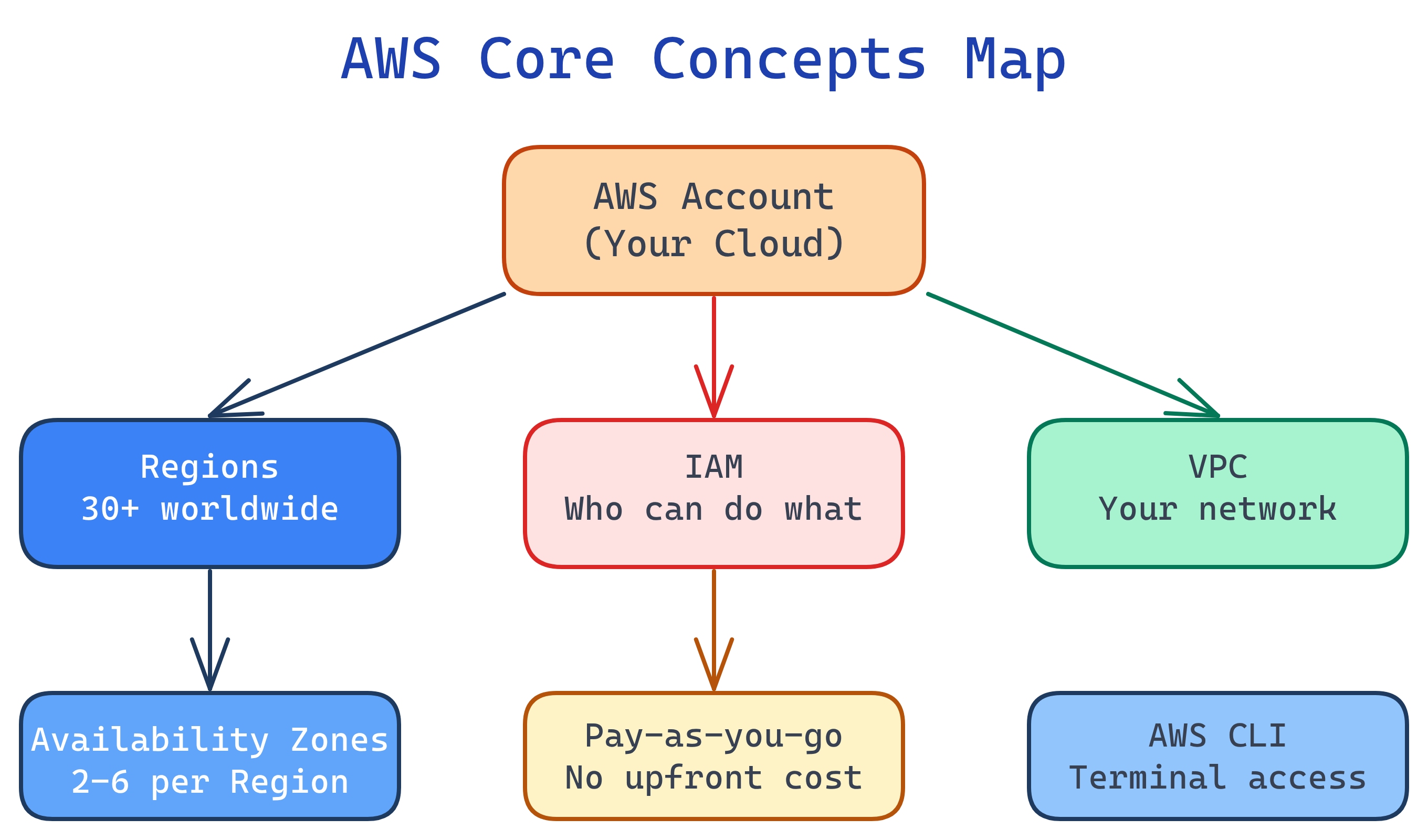
AWS is organized by Regions (geographic areas) containing Availability Zones (isolated data centers). Access is controlled by IAM (users, roles, policies). Resources live inside VPCs (virtual networks). You pay per-second/per-GB with no upfront cost.
Concept Map
Here's how the core AWS building blocks relate to each other — every service you use sits on top of these foundations.
Explain Like I'm 12
AWS is like a giant city with different neighborhoods (Regions). Each neighborhood has several buildings (Availability Zones) connected by hallways. To enter any building, you need a badge (IAM). Your apartment has its own private network with locked doors (VPC). The computers in your apartment (EC2) and your storage lockers (S3) all charge rent based on how much space and time you use.
Cheat Sheet
| Concept | What It Does | Key Details |
|---|---|---|
| Region | Geographic area with AWS data centers | 30+ regions globally (us-east-1, eu-west-1, etc.) |
| Availability Zone | Isolated data center within a Region | 2-6 AZs per Region, connected by low-latency links |
| IAM | Identity & Access Management | Users, Groups, Roles, Policies — never use root account |
| VPC | Virtual Private Cloud (your network) | Subnets, route tables, internet/NAT gateways |
| EC2 | Virtual servers (compute) | Instance types, AMIs, key pairs, security groups |
| S3 | Object storage (unlimited) | Buckets, objects, storage classes, versioning |
| AWS CLI | Command-line tool for AWS | aws configure, aws s3 ls, aws ec2 describe-instances |
| CloudFormation | Infrastructure as Code | YAML/JSON templates → automated resource creation |
The Building Blocks
1. Regions & Availability Zones
AWS divides the world into Regions — independent geographic areas like us-east-1 (N. Virginia), eu-west-1 (Ireland), or ap-southeast-1 (Singapore). Each Region contains 2-6 Availability Zones (AZs), which are physically separate data centers connected by high-speed fiber.
# List all available regions
aws ec2 describe-regions --output table

# List AZs in your current region
aws ec2 describe-availability-zones --output table
2. IAM — Identity & Access Management
IAM controls who can access what in your AWS account. It's the first thing you set up and the most important security layer.
- Users — Individual people or service accounts
- Groups — Collections of users sharing the same permissions
- Roles — Temporary permissions assumed by users or services (e.g., an EC2 instance that needs to read S3)
- Policies — JSON documents defining allow/deny rules
{
  "Version": "2012-10-17",
  "Statement": [{
    "Effect": "Allow",
    "Action": "s3:GetObject",
    "Resource": "arn:aws:s3:::my-bucket/*"
  }]
}3. VPC — Virtual Private Cloud
A VPC is your own private network inside AWS. Every resource you launch (EC2 instances, RDS databases, Lambda functions) lives inside a VPC. You control:
- Subnets — Subdivisions of your VPC (public vs. private)
- Route tables — Rules for where network traffic goes
- Internet Gateway — Connects public subnets to the internet
- NAT Gateway — Lets private subnets reach the internet (outbound only)
# Create a VPC with a /16 CIDR block (65,536 IPs)
aws ec2 create-vpc --cidr-block 10.0.0.0/16

# Create a public subnet in AZ us-east-1a
aws ec2 create-subnet --vpc-id vpc-abc123 \
  --cidr-block 10.0.1.0/24 \
--availability-zone us-east-1a4. Billing & the Free Tier
AWS charges for compute time, storage, and data transfer out. Data transfer in is free. Key billing concepts:
- On-Demand — Pay per second/hour, no commitment
- Reserved Instances — 1-3 year commitment, up to 72% discount
- Spot Instances — Bid on unused capacity, up to 90% discount (can be interrupted)
- Free Tier — 12 months of limited free usage (750 hrs EC2 t2.micro, 5 GB S3, etc.)
aws ce get-cost-and-usage to check your bill from the CLI.5. The AWS CLI
The AWS Command Line Interface lets you manage AWS services from your terminal. Install it, configure credentials, and you can script anything.
# Install AWS CLI v2 (macOS/Linux)
curl "https://awscli.amazonaws.com/awscli-exe-linux-x86_64.zip" -o "awscliv2.zip"
unzip awscliv2.zip && sudo ./aws/install

# Configure with your access key
aws configure
# AWS Access Key ID: AKIA...
# AWS Secret Access Key: wJal...
# Default region name: us-east-1
# Default output format: json

# Test it
aws sts get-caller-identityTest Yourself
What happens if an entire Availability Zone goes offline? How should you architect for this?
What's the difference between an IAM User and an IAM Role?
Why would you put a database in a private subnet instead of a public subnet?
You left an m5.xlarge EC2 instance running for a month by accident. How could you have prevented a surprise bill?
When should you use an IAM Policy vs. a Security Group to control access?