What is Authentication & Authorization?
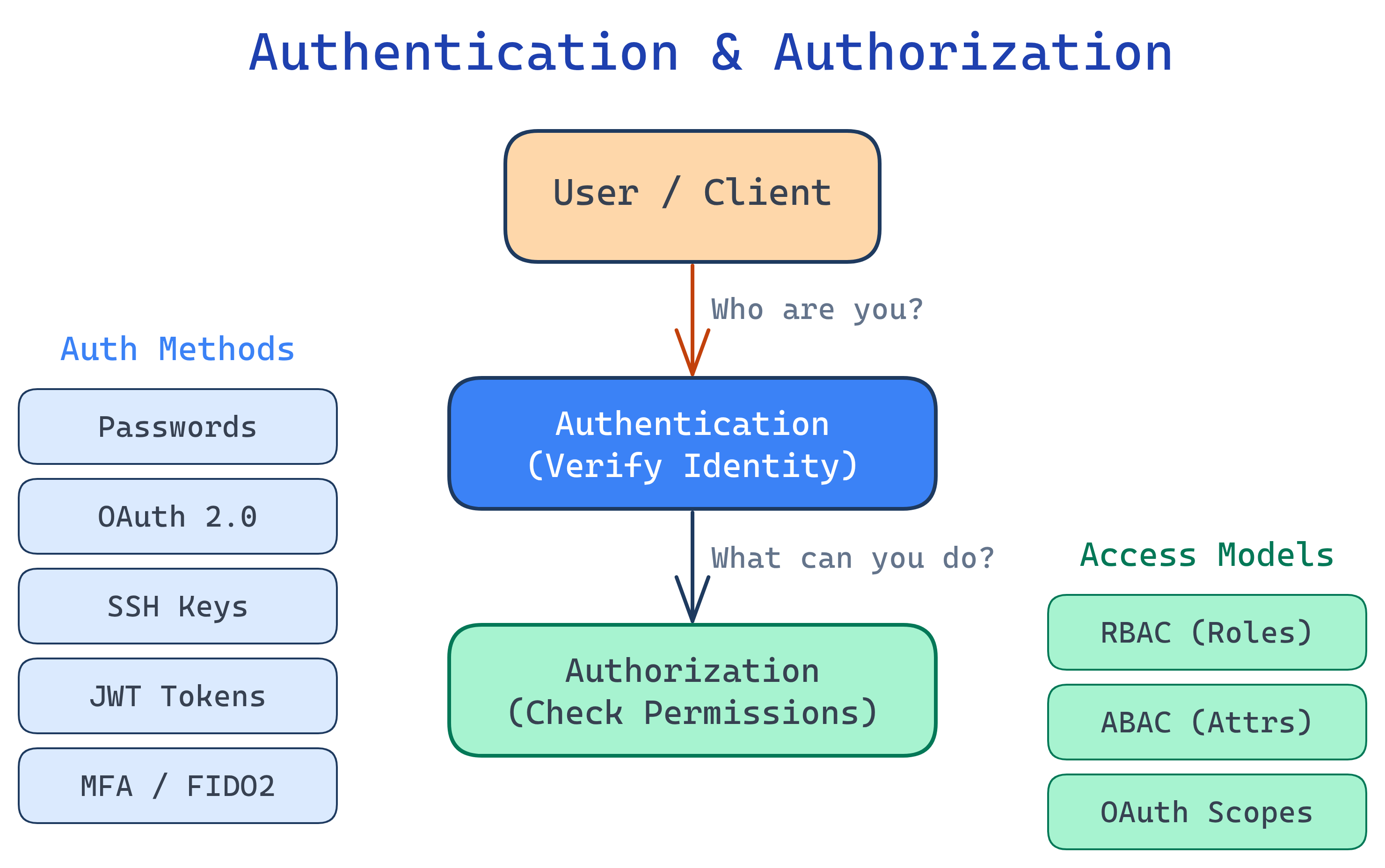
Authentication (AuthN) verifies who you are — passwords, fingerprints, SSH keys. Authorization (AuthZ) decides what you can do — roles, permissions, access policies. Every secure system needs both.
The Big Picture
Every time you log into a website, swipe a badge, or SSH into a server, two questions get answered: "Are you who you claim to be?" (authentication) and "Are you allowed to do this?" (authorization). These two concepts are the foundation of all security — from a simple login form to enterprise zero-trust architectures.
Explain Like I'm 12
Imagine your school has a front gate and a bunch of rooms inside. Authentication is the security guard at the gate checking your student ID — proving you actually go to this school. Authorization is the rules about which rooms you can enter — students can go to classrooms but not the teacher's lounge. You need BOTH: the guard has to know who you are, and then the rules decide where you're allowed to go.
Why It Matters
Get authentication wrong, and attackers impersonate your users. Get authorization wrong, and regular users access admin features. Major breaches — from leaked databases to ransomware — almost always trace back to a failure in one of these two areas.
| Concept | Question It Answers | Example |
|---|---|---|
| Authentication | Who are you? | Username + password, SSH key, fingerprint |
| Authorization | What can you do? | Admin role, read-only access, file permissions |
Authentication Types at a Glance
| Type | How It Works | Common Use |
|---|---|---|
| Password-based | User provides a secret string | Web logins, databases |
| SSH Keys | Public/private key pair — server checks your public key | Server access, Git |
| OAuth 2.0 | Delegated access via tokens — "Login with Google" | Third-party app access |
| JWT Tokens | Self-contained signed tokens carry user claims | APIs, microservices |
| Multi-Factor (MFA) | Combines 2+ factors: something you know/have/are | Banking, enterprise apps |
| API Keys | Static secret string sent with each request | Service-to-service calls |
| Certificate-based | X.509 certificates prove identity via PKI | mTLS, enterprise VPN |
Who Is This For?
- Backend developers building login flows, API auth, and access control
- DevOps engineers managing SSH keys, service accounts, and secrets
- Frontend developers handling tokens, sessions, and OAuth redirects
- Anyone preparing for interviews — auth questions come up constantly
What You'll Learn
Test Yourself
What is the difference between authentication and authorization?
A user logs into a web app with a password, then tries to access the admin panel but gets a "403 Forbidden" error. Which step succeeded and which failed?
Why are API keys considered weaker than OAuth tokens for user-facing applications?
Name the three factors of multi-factor authentication.