Pull Requests & Code Review
A pull request (PR) is a proposal to merge your branch into another. It's where code review, discussion, and CI checks happen. Use branch protection to enforce reviews, CODEOWNERS for auto-assignment, and choose between merge commit, squash, or rebase merge based on your history preferences.
Explain Like I'm 12
Imagine you wrote an essay and want to add it to a shared class project. Instead of just pasting it in, you hand it to your teacher for review. The teacher reads it, leaves comments ("nice intro!", "fix this paragraph"), and you make edits. Once approved, it gets added to the project. That's a pull request.
The PR Workflow
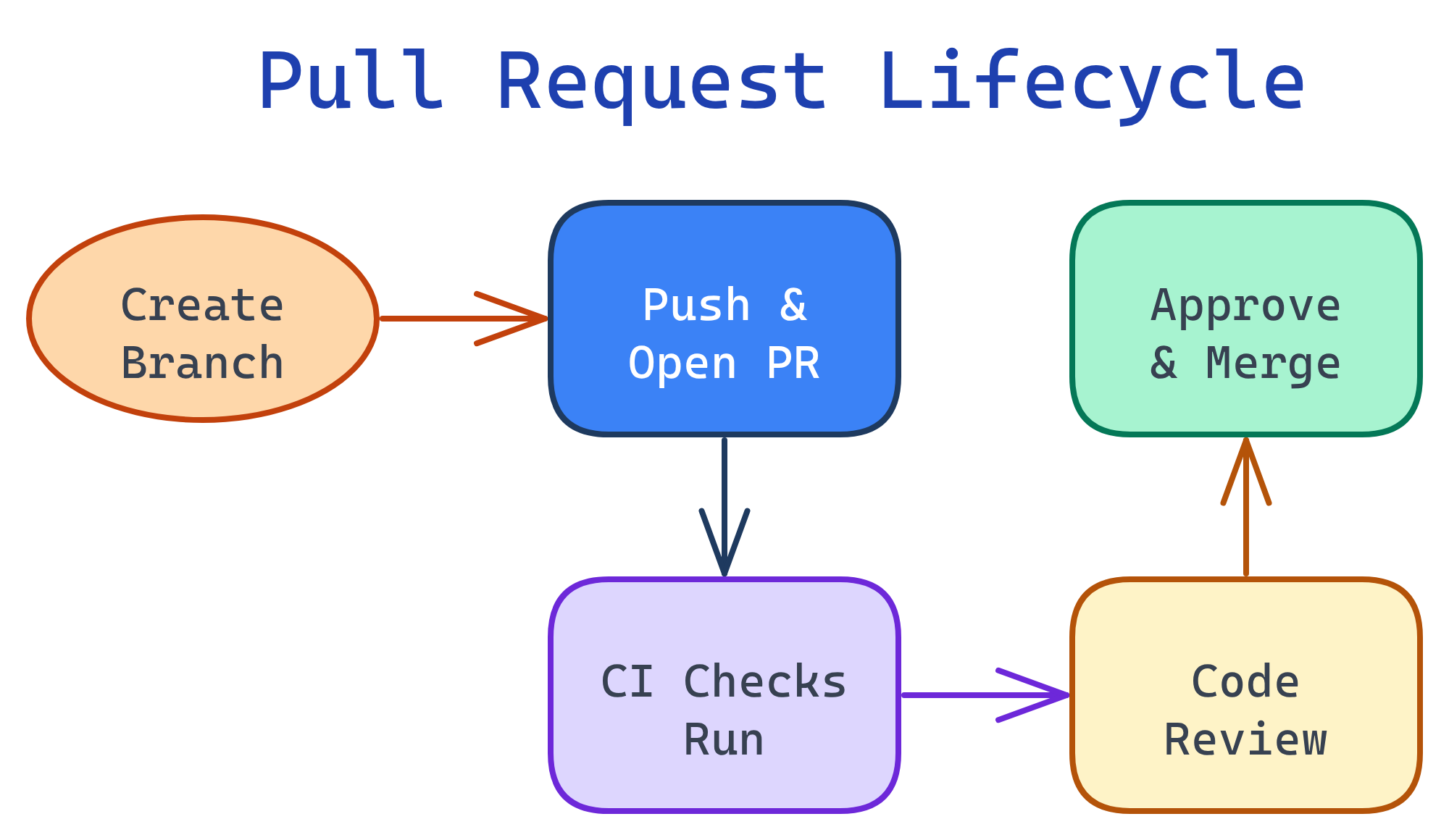
Pull requests are the heart of GitHub collaboration. Here's the lifecycle from branch creation to merge.
Creating a Pull Request
After pushing your branch, create a PR on GitHub or via the CLI:
# Push your branch
git push origin feature/user-auth

# Create PR with GitHub CLI (gh)
gh pr create \
  --title "Add user authentication" \
  --body "## Summary
- Add JWT-based auth middleware
- Add login/signup endpoints
- Add password hashing with bcrypt

## Test plan
- [ ] Unit tests pass
- [ ] Manual login flow tested"PR Templates
Create .github/pull_request_template.md in your repo to auto-fill the PR description:
## Summary
<!-- What does this PR do? -->

## Changes
-

## Test Plan
- [ ]

## Screenshots
<!-- If applicable -->
Code Review Best Practices
As a Reviewer
- Review within 24 hours — don't block teammates
- Focus on logic, not style — let linters handle formatting
- Ask questions, don't command — "What if this throws?" not "Fix this"
- Approve with nits — don't block on trivial issues
- Look for: bugs, security issues, missing tests, unclear naming, edge cases
As an Author
- Keep PRs small — under 400 lines changed. Split large features into stacked PRs
- Self-review first — read your own diff before requesting review
- Respond to all comments — even if just "Done" or "Good point, fixed"
- Don't force-push during review — it hides the diff between review rounds
Branch Protection Rules
Branch protection prevents direct pushes to important branches. Configure in Settings → Branches → Branch protection rules.
| Rule | What It Does | When to Use |
|---|---|---|
| Require PR reviews | At least N approvals before merge | Always on main |
| Require status checks | CI must pass before merge | When you have CI/CD |
| Require linear history | Only squash or rebase merges allowed | Clean history preference |
| Require signed commits | All commits must be GPG-signed | High-security projects |
| Include administrators | Rules apply to admins too | Enforce for everyone |
| Restrict pushes | Only certain people/teams can push | Critical branches |
main, anyone with write access can push directly — bypassing code review and CI. Always enable it for production branches.CODEOWNERS
The CODEOWNERS file automatically assigns reviewers based on which files a PR touches. Place it in .github/CODEOWNERS:
# .github/CODEOWNERS
# Default owner for everything
*                    @org/platform-team

# Frontend code
/src/components/     @org/frontend-team
*.css                @org/frontend-team

# Backend API
/src/api/            @org/backend-team

# Infrastructure
/terraform/          @org/devops-team
Dockerfile           @org/devops-team

# Documentation
/docs/ @techwriterMerge Strategies on GitHub
When merging a PR, GitHub offers three options:
| Strategy | Result | Best For |
|---|---|---|
| Merge commit | Preserves all commits + adds a merge commit | Full history, open-source projects |
| Squash and merge | Combines all PR commits into one | Clean history, WIP-heavy branches |
| Rebase and merge | Replays commits onto base (no merge commit) | Linear history without squashing |
PR Management with GitHub CLI
# List open PRs
gh pr list

# View a specific PR
gh pr view 42

# Check out a PR locally
gh pr checkout 42

# Approve a PR
gh pr review 42 --approve

# Merge a PR (squash)
gh pr merge 42 --squash --delete-branch

# Create PR and auto-fill from commits
gh pr create --fill
Test Yourself
What's the difference between "Squash and merge" and "Merge commit" on GitHub?
What does the CODEOWNERS file do?
CODEOWNERS maps file paths to GitHub users/teams. When a PR modifies matching files, those owners are automatically added as reviewers. Combined with branch protection, it ensures domain experts always review changes to their code.Name 3 branch protection rules you'd enable on main.
Why should PRs be kept small (under 400 lines)?
How do you check out someone else's PR to test it locally?
gh pr checkout 42 (where 42 is the PR number). This fetches the PR branch and switches to it locally. Without the CLI: git fetch origin pull/42/head:pr-42 && git checkout pr-42.Interview Questions
Your team's PRs are averaging 1,000+ lines and taking days to review. How would you fix this?
Explain the fork-and-PR model used in open-source projects.
git remote add upstream + git pull upstream main.How would you set up required reviews for a monorepo where different teams own different directories?
/backend/ @backend-team, /frontend/ @frontend-team). Enable branch protection with "Require review from Code Owners." This ensures a PR touching /backend/ needs backend-team approval, and a cross-cutting PR needs approval from all affected teams.