Run AI Models Locally
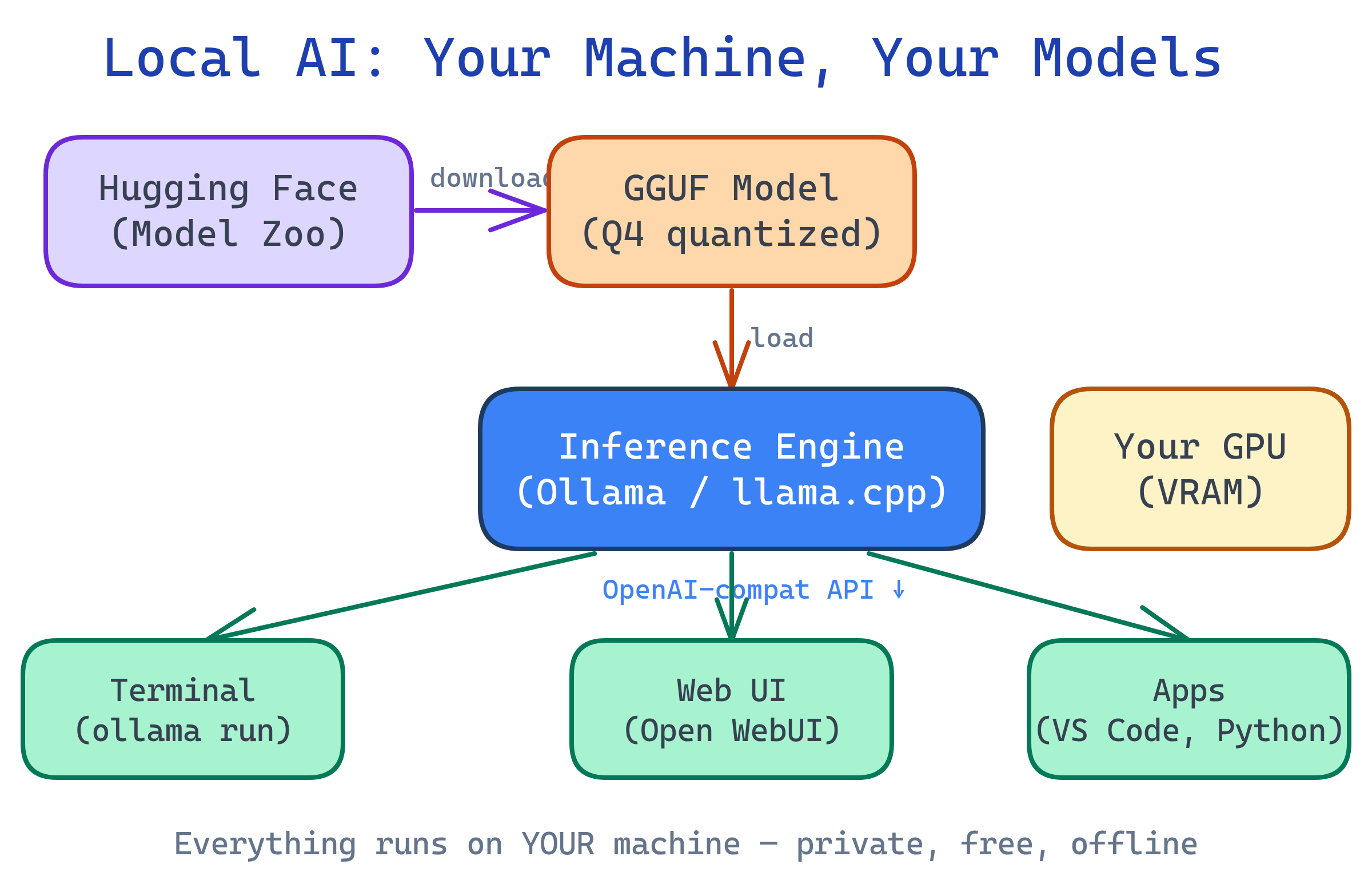
You can run powerful AI models (Llama, Mistral, Gemma, DeepSeek) on your own computer — free, private, no API keys. Tools like Ollama make it one command. Add Open WebUI for a ChatGPT-like interface. You need a decent GPU (8 GB+ VRAM) or a modern Mac with Apple Silicon.
The Big Picture
Cloud AI services like ChatGPT and Claude are powerful, but they come with trade-offs: your data leaves your machine, you pay per token, you need internet, and you're locked into someone else's rules. Local AI flips all of that.
Open-source models have gotten shockingly good. A 7B-parameter model running on a laptop can now handle coding, writing, summarization, and Q&A that would have required a data center just two years ago. Quantization (compressing models from 16-bit to 4-bit) makes them fit in consumer hardware.
Explain Like I'm 12
Imagine ChatGPT is a restaurant — you go there, order food, and they cook it for you. But you have to pay every time, and they can see what you're eating.
Local AI is like having the recipe and the kitchen at home. You download the recipe (the model), use your own oven (your computer's GPU), and cook whatever you want. It's free after setup, nobody sees your food, and it works even if the restaurant closes.
Why Run AI Locally?
| Benefit | Cloud AI (ChatGPT, Claude) | Local AI (Ollama, LM Studio) |
|---|---|---|
| Privacy | Data sent to servers | Everything stays on your machine |
| Cost | Pay per token / monthly fee | Free after hardware investment |
| Internet | Required | Works offline |
| Speed | Network latency + queue | Instant (limited by your GPU) |
| Customization | Use as-is | Fine-tune, uncensored models, custom system prompts |
| Quality | State-of-the-art (GPT-4, Claude) | Very good for most tasks (not yet SOTA) |
| Availability | Service can go down or change | Always available, version-pinned |
Who is it For?
Developers — Local code completion, private code review, rapid prototyping without API costs. Integrate via OpenAI-compatible APIs.
Privacy-conscious users — Chat about sensitive topics (medical, legal, financial) without data leaving your device.
Tinkerers & researchers — Experiment with model architectures, fine-tuning, quantization, and prompt engineering on your own hardware.
Teams & enterprises — Self-hosted AI for internal tools, document Q&A, and code generation without sending proprietary data to third parties.
What Hardware Do You Need?
| Model Size | Min. VRAM / RAM | Example Hardware | Good For |
|---|---|---|---|
| 1-3B params | 4 GB | Any modern laptop | Simple tasks, autocomplete |
| 7-8B params | 8 GB VRAM or 16 GB unified | RTX 3060, MacBook Air M2 | General chat, coding, summarization |
| 13-14B params | 12-16 GB VRAM | RTX 4070, MacBook Pro M2/M3 | Better reasoning, longer context |
| 30-70B params | 24-48 GB VRAM | RTX 4090, Mac Studio M2 Ultra | Near-cloud quality, complex tasks |
Apple Silicon Macs are excellent for local AI because they share RAM between CPU and GPU (unified memory). A 32 GB Mac can run models that would need a dedicated 32 GB GPU on Windows/Linux.
What You'll Learn
Test Yourself
What are two key advantages of running AI models locally instead of using cloud APIs?
What makes Apple Silicon Macs particularly good for running local AI models?
Why can a 7B parameter model now run on a laptop when it previously needed a server?
Name three popular open-source models you can run locally.