Terminology & Value Sets
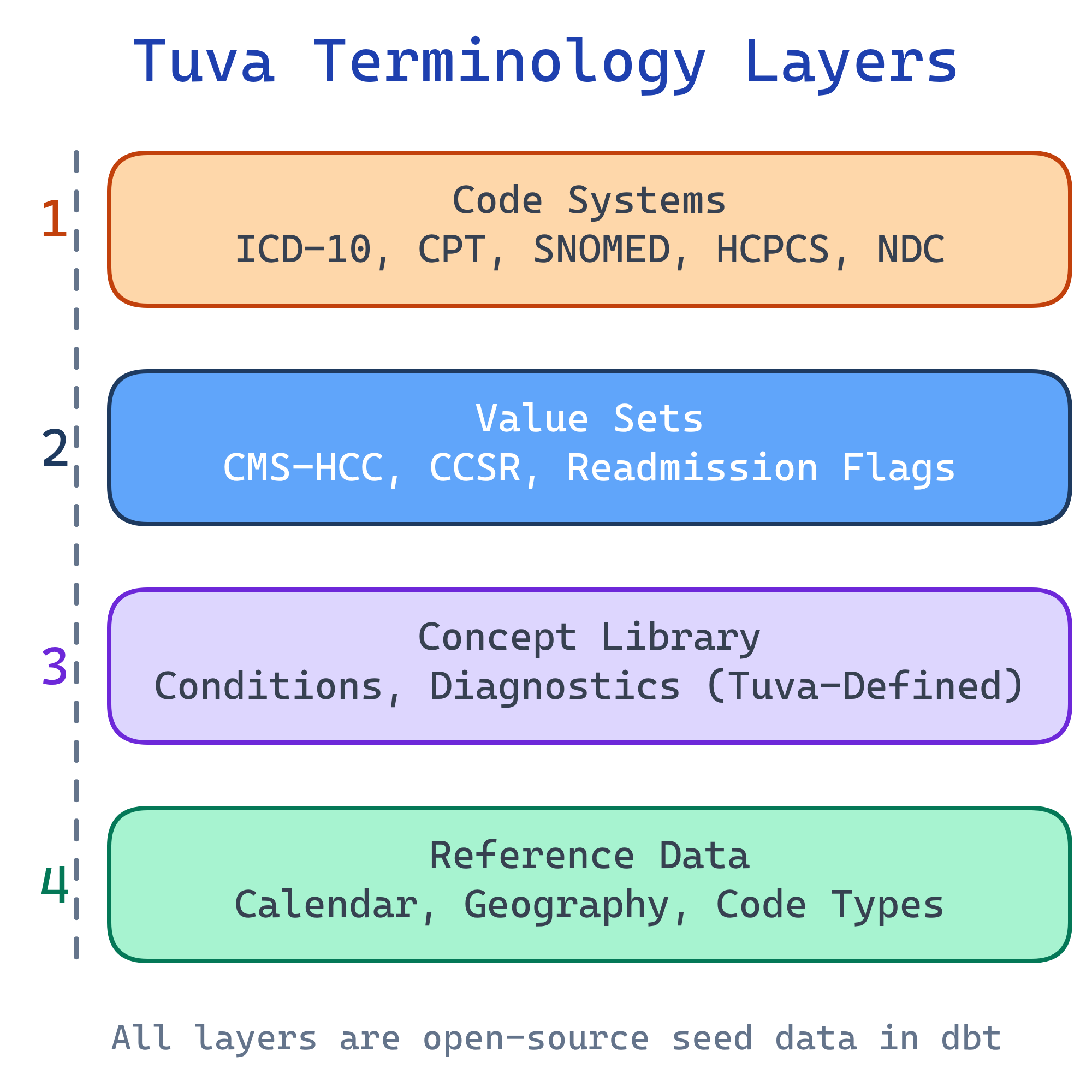
Tuva ships with healthcare terminologies (ICD-10, CPT, SNOMED, HCPCS, NDC), value sets (CMS-HCC, CCSR, readmissions), and its own concept library for conditions and diagnostics — all version-controlled and auto-loaded from cloud storage via dbt seed.
Explain Like I'm 12
Imagine every country spoke a different language, and you needed a universal dictionary so everyone could understand each other. That's what healthcare terminology is — a shared set of codes so that when a doctor in New York says "E11.9," a computer in California knows it means "Type 2 Diabetes."
Tuva comes with all these dictionaries pre-loaded. You don't have to go find them, download them, or figure out the right version. They're already there, ready to use, and they update automatically when new codes come out.
Tuva Terminology Architecture
How Tuva Manages Terminology
Tuva stores its terminology data in DoltHub repositories — a version-controlled database that works like Git for data. The terminology files are distributed as versioned seed files from cloud storage (S3, GCS, or Azure Blob), and they're auto-loaded when you run dbt seed.
Why This Is a Big Deal
- Version-controlled: Every terminology update is tracked. You can see exactly what changed between versions and when.
- Reproducible: Pin a specific version in your
dbt_project.ymland your pipeline will always use the same terminology, regardless of when you run it. - Automated: No manual downloads from CMS websites, no parsing Excel files, no building your own lookup tables. Run
dbt seedand everything loads. - Multi-warehouse: The same terminology works across Snowflake, BigQuery, Redshift, Databricks, and DuckDB.
dbt seed.
Four Layers of Terminology
Tuva organizes its terminology into four distinct layers, each serving a different purpose in the analytics pipeline:
Layer 1: Code Systems
Code systems are the raw dictionaries of healthcare. Each code system defines a set of codes with descriptions. These are the standard vocabularies used across the entire US healthcare system.
| Code System | What It Describes | Example Code | Tuva Table |
|---|---|---|---|
| ICD-10-CM | Diagnoses (what's wrong with the patient) | E11.9 = Type 2 Diabetes without complications | terminology.icd_10_cm |
| CPT | Procedures (what was done) | 99213 = Office visit, established patient | terminology.cpt |
| SNOMED CT | Clinical concepts (broader clinical terms) | 44054006 = Type 2 Diabetes Mellitus | terminology.snomed_ct |
| HCPCS | Supplies, equipment, services (what was used) | E0601 = CPAP device | terminology.hcpcs |
| NDC | Drugs (which specific medication) | 0069-3150-83 = Specific Lipitor package | terminology.ndc |
Layer 2: Value Sets
Value sets are curated groupings of codes built for specific analytics use cases. Instead of working with raw codes, value sets tell you which codes belong to a particular concept or measure.
Key Value Sets in Tuva
- CMS-HCC Mappings: Which ICD-10 diagnosis codes map to which HCC categories. This crosswalk is the foundation of risk adjustment. Example: ICD-10 E11.9 (Type 2 Diabetes) maps to HCC 19 (Diabetes without Complication).
- CCSR Categories: Groups ICD-10 codes into ~530 clinically meaningful diagnosis categories and ~320 procedure categories.
- Readmission Flags: Which diagnosis codes count as planned readmissions (excluded from penalty calculations) vs. unplanned readmissions.
- Quality Measure Specifications: The code-level definitions for HEDIS-style measures — which codes define the denominator (eligible population) and numerator (measure met).
- Chronic Condition Definitions: CMS Chronic Condition Warehouse (CCW) algorithms that define how to identify conditions like diabetes, CHF, and COPD from claims data.
Layer 3: Concept Library
The Concept Library is Tuva's own definitions for healthcare concepts. It builds on top of standard code systems but adds clinical meaning and cross-references that don't exist in any single standard.
What the Concept Library Contains
- Conditions: Clinical definitions for diabetes, CHF, COPD, depression, CKD, and dozens more — each mapped to the relevant ICD-10 codes, HCCs, and CCW algorithms
- Diagnostics: Lab tests and their clinical significance, including normal ranges and what abnormal values indicate
- Procedures: Grouped procedures with clinical context (e.g., all codes that constitute a "knee replacement" episode)
- Service Categories: Tuva's own classification of healthcare services (inpatient, outpatient professional, outpatient facility, ED, pharmacy, etc.)
The Concept Library is what makes Tuva more than just a code lookup tool. It provides the clinical logic layer that connects raw codes to meaningful analytics.
Layer 4: Reference Data
Reference data provides the supporting context that analytics pipelines need beyond clinical codes:
- Calendar tables: Pre-built date dimensions with fiscal years, quarters, and healthcare-specific periods (measurement year, benefit year)
- Geographic crosswalks: ZIP code to state, state to region, FIPS codes, MSA (Metropolitan Statistical Area) mappings
- Provider type references: Taxonomy codes to provider specialties and types
- Code type lookups: Mappings between different coding systems (e.g., place of service codes, bill type codes, discharge status codes)
How Normalization Uses Terminology
When Tuva normalizes your raw data, it maps your source codes to standard terminologies. Here's the flow for a single diagnosis:
- Source code: Your raw data has a diagnosis field with value "DX123" (a proprietary code from your source system)
- Normalization: Tuva's normalization layer maps "DX123" to the standard ICD-10 code
E11.9(Type 2 Diabetes without complications) - Value set lookup: The CMS-HCC value set maps
E11.9to HCC 19 (Diabetes without Complication) - Data mart output: The CMS-HCC mart uses HCC 19's coefficient to calculate the patient's RAF score
This chain — source code to standard code to value set to analytics output — is why terminology accuracy is critical. A wrong mapping at any step cascades through the entire pipeline.
The Terminology Viewer
Tuva provides a web-based Terminology Viewer at thetuvaproject.com for browsing code systems and value sets interactively. You can:
- Search codes: Look up any ICD-10, CPT, HCPCS, or SNOMED code and see its description
- Browse value sets: See which codes belong to a specific HCC category, CCSR group, or quality measure
- Explore mappings: Trace how a diagnosis code flows through the value set hierarchy (ICD-10 to HCC to RAF)
- Compare versions: See what changed between terminology updates
Managing Updates
Healthcare terminologies update regularly — ICD-10 codes change annually, CMS-HCC mappings update with each model version, and HEDIS measure specifications change yearly. Tuva handles this through a seed versioning system.
How Versioning Works
- Version pinning: Your
dbt_project.ymlspecifies which terminology version to use - Update process: Change the version number in your config file
- Re-seed: Run
dbt seedto download and load the new terminology files - Rebuild: Run
dbt buildto recalculate all marts with the updated terminology
# dbt_project.yml
vars:
  # Pin to a specific terminology version
tuva_terminology_version: "0.10.0"Test Yourself
Q: What are the four layers of terminology in Tuva?
Q: How does Tuva distribute and load terminology data?
dbt seed, which downloads the files for your pinned version and loads them into your data warehouse. This replaces the old manual process of downloading code files from CMS websites, parsing them, and building lookup tables.Q: What is the difference between a code system and a value set?
Q: Trace a diagnosis code from source data through Tuva's terminology to a data mart output.
Q: How do you update Tuva's terminology to a new version?
tuva_terminology_version variable in your dbt_project.yml to the new version number, (2) Run dbt seed to download and load the new terminology files into your warehouse, (3) Run dbt build to recalculate all data marts with the updated terminology. Because versions are pinned, you can always reproduce historical results by setting the version back to the original.Interview Questions
Q: How does Tuva manage healthcare terminology, and why is this approach better than manual management?
dbt seed. This is better than manual management because: (1) Version control — every update is tracked, and you can see exactly what changed, (2) Reproducibility — pin a version in dbt_project.yml and results are consistent regardless of when you run, (3) Automation — no manual downloads from CMS websites, no parsing Excel files, no building lookup tables, (4) Multi-warehouse — same terminology works across Snowflake, BigQuery, Redshift, Databricks, and DuckDB. The old way took weeks of engineering time per update. Tuva reduces it to one command.Q: What is the difference between code systems and value sets in Tuva?
Q: How does Tuva's normalization process use terminology to standardize data?
Q: How are terminology updates handled in Tuva, and how do you ensure reproducibility?
tuva_terminology_version variable in dbt_project.yml pins the exact terminology version your pipeline uses. To update: change the version number, run dbt seed to load new files, and dbt build to recalculate marts. Reproducibility is guaranteed because version pinning means the same version number always produces the same terminology data, regardless of when or where you run the pipeline. This is critical for regulatory compliance — if CMS audits your risk adjustment submissions, you need to prove exactly which terminology version was used. You can also run multiple versions in parallel for comparison (e.g., "what would our RAF scores look like under the new HCC model?").