Test Frameworks & Tools
Use Playwright for modern browser testing (fastest, best DX). Use pytest for Python backend tests. Use Selenium when you need multi-language support or have legacy suites. Use Cypress for JavaScript-heavy teams. Use JUnit for Java ecosystems.
Explain Like I'm 12
A test framework is like a recipe book for checking things. Instead of figuring out how to open a browser, click buttons, and read text from scratch — the framework gives you ready-made instructions like "go to this page" and "click this button."
Different frameworks are like different recipe books — some are for Italian cooking (web apps), some for baking (APIs), some for both. You pick the one that matches what you're cooking.
The Framework Landscape
Test frameworks fall into two broad categories: unit/backend frameworks (test code logic) and UI/browser frameworks (test what users see). Most real projects use one from each category.
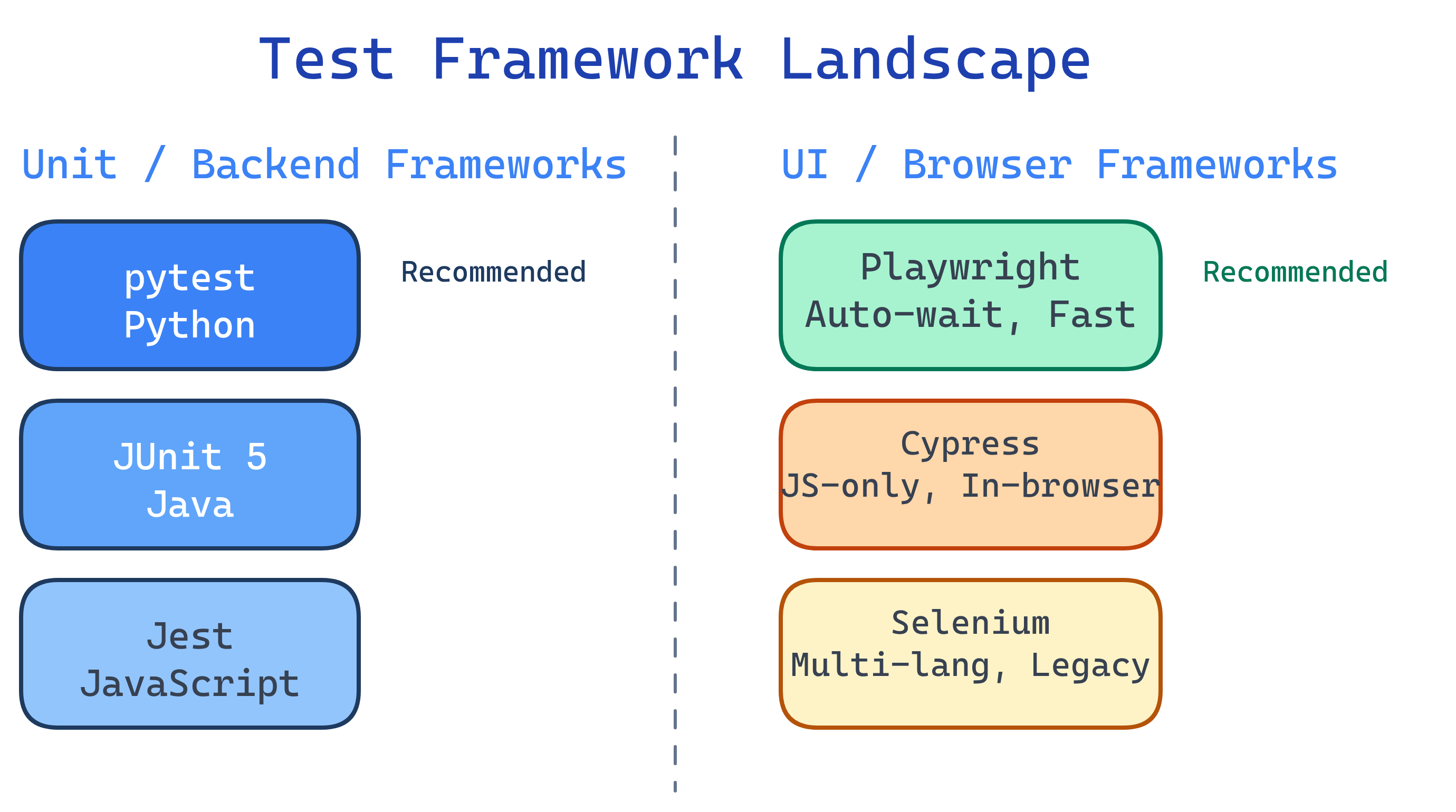
Framework Comparison
| Framework | Language | Test Type | Speed | Best For |
|---|---|---|---|---|
| Playwright | Python, JS, Java, .NET | UI / E2E | Fast | Modern cross-browser testing |
| Cypress | JavaScript only | UI / E2E | Fast | JS-heavy frontend teams |
| Selenium | Python, Java, JS, C#, Ruby | UI / E2E | Medium | Legacy suites, multi-language teams |
| pytest | Python | Unit / Integration | Very fast | Python backend/API testing |
| JUnit 5 | Java / Kotlin | Unit / Integration | Very fast | Java ecosystem, Spring Boot |
| Jest | JavaScript / TypeScript | Unit / Integration | Very fast | React/Node.js projects |
Playwright
Playwright (by Microsoft) is the modern standard for browser testing. It's fast, reliable, and supports Chrome, Firefox, and Safari from a single API. Built-in auto-wait eliminates most flakiness issues.
# Install: pip install playwright && playwright install
from playwright.sync_api import sync_playwright

def test_search_feature():
    with sync_playwright() as p:
        browser = p.chromium.launch()
        page = browser.new_page()
        page.goto("https://example.com")
        page.fill("#search", "QA automation")
        page.click("button.search-btn")
        assert page.locator(".results").count() > 0
        browser.close()
Key strengths:
- Auto-wait — Automatically waits for elements to be ready before interacting
- Multi-browser — Chrome, Firefox, WebKit (Safari) from one API
- Codegen — Record browser actions and generate test code automatically
- Trace viewer — Visual debugger with screenshots, network logs, and DOM snapshots
- API testing — Built-in support for HTTP requests alongside browser tests
codegen tool is great for getting started: run playwright codegen https://yourapp.com to record interactions and generate test code. Then refactor the output into Page Objects.Cypress
Cypress is a JavaScript-first testing framework that runs inside the browser. It's popular with frontend teams because tests look like the app code they already write.
// Install: npm install cypress --save-dev
describe('Login Flow', () => {
  it('should login with valid credentials', () => {
    cy.visit('/login')
    cy.get('#email').type('[email protected]')
    cy.get('#password').type('secret123')
    cy.get('button[type="submit"]').click()
    cy.url().should('include', '/dashboard')
    cy.get('.welcome').should('contain', 'Welcome, Alice')
  })
})
Key strengths:
- Time travel — Snapshots at each step; hover to see what the app looked like
- Auto-reload — Tests re-run automatically when you save files
- Network stubbing — Intercept and mock API responses easily
Selenium
Selenium is the original browser automation framework (since 2004). It supports the most languages and has the largest ecosystem, but requires more setup and explicit waits than modern alternatives.
# Install: pip install selenium
from selenium import webdriver
from selenium.webdriver.common.by import By
from selenium.webdriver.support.ui import WebDriverWait
from selenium.webdriver.support import expected_conditions as EC

driver = webdriver.Chrome()
driver.get("https://example.com/login")

# Explicit wait — Selenium doesn't auto-wait like Playwright
email = WebDriverWait(driver, 10).until(
    EC.presence_of_element_located((By.ID, "email"))
)
email.send_keys("[email protected]")
driver.find_element(By.ID, "password").send_keys("secret123")
driver.find_element(By.CSS_SELECTOR, "button[type='submit']").click()

assert "/dashboard" in driver.current_url
driver.quit()pytest
pytest is Python's de facto testing framework. It's not just for unit tests — with plugins, it handles everything from API testing to database integration tests to Playwright browser tests.
# Install: pip install pytest
# Run: pytest tests/ -v

# Simple test — no classes needed
def test_addition():
    assert 1 + 1 == 2

# Fixtures for setup/teardown
import pytest

@pytest.fixture
def api_client():
    client = TestClient(app)
    yield client

def test_get_users(api_client):
    response = api_client.get("/api/users")
    assert response.status_code == 200
    assert len(response.json()) > 0

# Parametrized tests — run same test with different inputs
@pytest.mark.parametrize("input,expected", [
    (2, 4), (3, 9), (4, 16), (-1, 1)
])
def test_square(input, expected):
    assert input ** 2 == expected
Essential plugins:
| Plugin | Purpose |
|---|---|
pytest-cov | Code coverage reporting |
pytest-xdist | Parallel test execution |
pytest-playwright | Playwright browser test integration |
pytest-html | Generate HTML test reports |
pytest-mock | Easy mocking with unittest.mock |
pytest -x to stop on first failure during development (fast feedback). Use pytest -n auto (with pytest-xdist) in CI for parallel execution.JUnit 5
JUnit 5 is the standard testing framework for Java and Kotlin. It integrates tightly with Maven, Gradle, and Spring Boot.
import org.junit.jupiter.api.Test;
import org.junit.jupiter.api.DisplayName;
import org.junit.jupiter.params.ParameterizedTest;
import org.junit.jupiter.params.provider.ValueSource;
import static org.junit.jupiter.api.Assertions.*;

class CalculatorTest {

    @Test
    @DisplayName("Addition should return correct sum")
    void testAddition() {
        Calculator calc = new Calculator();
        assertEquals(4, calc.add(2, 2));
    }

    @ParameterizedTest
    @ValueSource(ints = {1, 2, 3, 5, 8})
    void testIsPositive(int number) {
        assertTrue(number > 0);
    }
}given().when().get("/users").then().statusCode(200). For Spring Boot, use @SpringBootTest + @AutoConfigureMockMvc.How to Choose
| Your Situation | Recommended Stack |
|---|---|
| Python backend + any frontend | pytest (unit/integration) + Playwright (E2E) |
| JavaScript/TypeScript full-stack | Jest (unit) + Playwright or Cypress (E2E) |
| Java / Spring Boot | JUnit 5 (unit) + Selenium or Playwright (E2E) |
| Multi-language team, legacy codebase | Selenium (common API across languages) |
| Mobile app testing | Appium (extends Selenium for iOS/Android) |
| API-only (no UI) | pytest + requests or REST Assured |
Test Yourself
What's the key advantage of Playwright over Selenium for browser testing?
When would you choose Selenium over Playwright?
Why might a JavaScript team choose Cypress over Playwright?
What makes pytest fixtures better than setUp/tearDown methods?
yield for clean teardown. This makes tests more readable and avoids unnecessary setup.What is parametrized testing and why is it useful?
@pytest.mark.parametrize) and JUnit (@ParameterizedTest) support this natively.Interview Questions
How would you decide between Playwright and Selenium for a new project?
Explain the Page Object Model and why it matters for large test suites.
How do you handle test flakiness in browser-based tests?
