What is GitHub?
GitHub is the world's largest code hosting platform built on Git. Store code, collaborate via pull requests, automate CI/CD with Actions, and manage projects — all in one place. If Git is the engine, GitHub is the dashboard, garage, and highway system.
The Big Picture
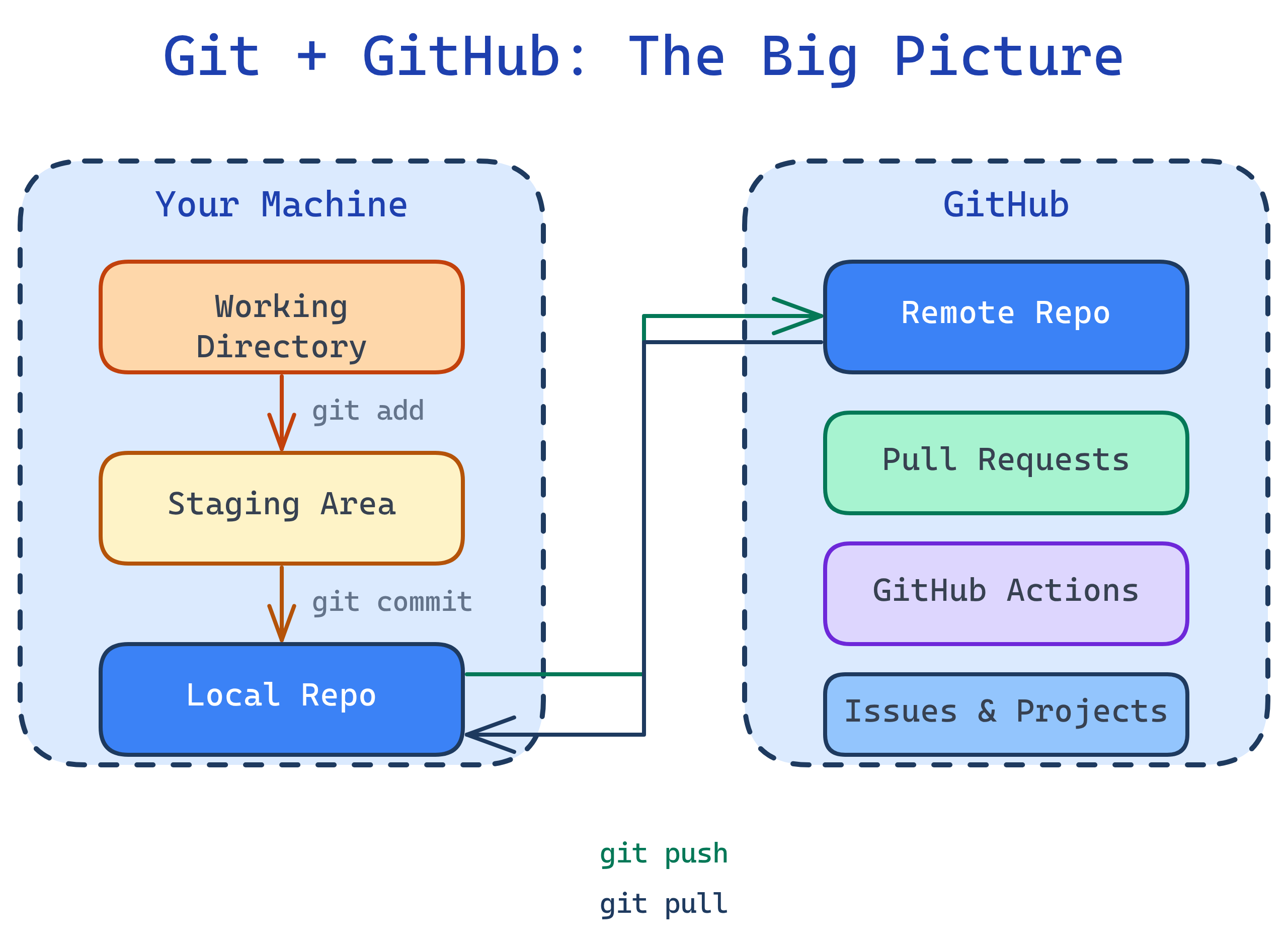
Every developer needs two things: a way to track changes to their code (that's Git) and a place to store and share that code with others (that's GitHub). Together, they form the backbone of modern software development. Over 100 million developers use GitHub to build, review, and ship software.
Explain Like I'm 12
Imagine you're writing a group essay in Google Docs. Everyone can see the latest version, suggest changes, and accept or reject edits. Now imagine that same thing — but for code, and way more powerful.
Git is like your "undo history" on steroids — it saves every version of your work, lets you go back in time, and even lets you try out crazy ideas without messing up the original.
GitHub is like Google Drive for code. It stores your project online, lets your teammates see it, suggest changes (called pull requests), and even run automatic checks to make sure nobody broke anything.
What is Git?
Git is a distributed version control system created by Linus Torvalds (the creator of Linux) in 2005. "Distributed" means every developer has a full copy of the project history on their own machine — no single point of failure.
Git tracks changes as commits — snapshots of your code at a point in time. You can branch off to try new features, merge changes together, and roll back mistakes. It works entirely offline on your local machine.
What is GitHub?
GitHub (owned by Microsoft since 2018) is a cloud platform built around Git. It adds collaboration features that Git alone doesn't have:
- Remote repositories — store your Git repos in the cloud
- Pull requests — propose, review, and discuss code changes
- Issues & Projects — track bugs, features, and project boards
- GitHub Actions — automate testing, building, and deploying
- Code security — dependency scanning, secret detection, Dependabot
- GitHub Copilot — AI-powered code suggestions
Who is it For?
- Solo developers — track your code, never lose work, deploy automatically
- Teams — code review via PRs, branch protection, CI/CD pipelines
- Open-source maintainers — manage contributions from thousands of developers
- Data engineers & analysts — version SQL, dbt models, notebooks, and configs
- DevOps engineers — Infrastructure as Code, GitOps workflows, automated deploys
What You'll Learn
Test Yourself
What's the difference between Git and GitHub?
What does "distributed" mean in "distributed version control system"?
Name 3 things GitHub adds on top of Git.
Why was Git created, and by whom?